tl;dr — I built an AI-driven pipeline that downloads an Android APK, extracts native
.solibraries, decompiles them with Ghidra, and uses parallel LLM agents to audit JNI functions and synthesize a security report. All from a single CLI command.
The Problem: Native Code Is a Black Box
Android security testing has a blind spot. Most tools focus on Java/Kotlin bytecode (JADX, MobSF, etc.), but modern apps ship heavy native libraries — game engines, cryptography, DRM, custom protocol handlers — compiled into ARM64 .so binaries. These talk to Java via JNI (Java Native Interface), and they are where the really nasty bugs live:
- Buffer overflows in
strcpy/memcpy - Out-of-bounds reads on attacker-controlled arrays
- Hardcoded keys buried in native strings
- Function pointer hijacks and insecure callbacks
Reverse engineering these binaries manually is painfully slow. You open Ghidra, wait for auto-analysis, hunt for Java_* exports, decompile one function at a time.
Agentic Reverse Engineering
What if you could spin up a team of AI analysts, give each one a dedicated Ghidra toolset, and have them audit different native libraries in parallel — then synthesize their findings into a single report?
That is exactly what AI JNI Auditor does.
You: python main.py -i https://target.app/release.apk

System:
  → Download APK
  → Extract arm64-v8a .so files
  → Load top 2 libraries into Ghidra
  → Agent A audits libA.so  ┐
  → Agent B audits libB.so  ├─ parallel
  → Synthesizer merges both ┘
  → Markdown report saved
Architecture Overview
The pipeline is intentionally modular. Each stage is a standalone Python module, so you can yank out the Ghidra integration, swap the LLM, or repurpose the agent graph for Windows PE files or firmware binaries.
ai-jni-re-public/
├── README.md              # This file
├── requirements.txt       # Python dependencies
├── env.example            # Environment variables template
├── config.py              # LLM & MLflow initialization
├── extractor.py           # APK download & .so extraction
├── ghidra_tools.py        # Ghidra integration & decompilation tools
├── agents.py              # DSPy agent signatures
├── pipeline.py            # LangGraph multi-agent workflow
├── main.py                # CLI entry point
└── reports/               # Generated audit reports (gitignored)
Stage 1: Extraction (extractor.py)
An APK is just a ZIP. This module downloads the APK if you pass a URL, then unzips only the arm64-v8a/*.so files into a working directory. Nothing fancy, but it removes the manual drag-and-drop step.
Stage 2: Ghidra Toolset (ghidra_tools.py)
This is where the heavy lifting happens. Using PyGhidra, I spin up a headless Ghidra instance, create a throwaway project, and import the .so binaries. Auto-analysis runs once, then I build a curated toolset for each agent:
find_matching_functions(query)— fuzzy search the symbol tablegenerate_pseudo_code(name)— decompile a function and return pseudo-C
Each agent gets its own toolset bound to its own program object. This is toolset curation: the AI can only see and touch the binary it is assigned to. No cross-contamination.
I also extract JNI symbols upfront by scanning for functions that start with Java_ — these are the bridge functions Android calls from Java/Kotlin.
Stage 3: Agents (agents.py)
I use DSPy to define what the AI should do, not how to prompt it. Two signatures drive the system:
-
Component Analysis — Given a binary name and a list of JNI symbols, analyze capabilities and security posture. The agent uses ReAct reasoning to iteratively search and decompile functions, then returns a markdown analysis + key function excerpts.
-
Audit Synthesis — Takes the outputs from two independent analysts and merges them into a unified cross-component report, surfacing shared architectural patterns and common security mechanisms.
The prompt engineering is declarative. DSPy compiles the signatures into optimized prompts under the hood.
Stage 4: Workflow Graph (pipeline.py)
I orchestrate everything with LangGraph:
[start]
   │
   ├──→ [Agent A] ──┐
   │                 ├──→ [Synthesize] → [END]
   └──→ [Agent B] ──┘
The two analysts run in parallel. The synthesizer node blocks until both finish, then calls a single DSPy predictor to merge findings. The state is a strongly typed TypedDict, so the data contract is explicit and easy to extend.
Stage 5: Reporting (main.py)
The CLI prints the final report with rich markdown formatting and writes it to reports/<apk_name>_audit_report.md. You can also launch MLflow to inspect every AI trace, tool call, and token usage.
Demo
Here is the entire user experience:
# 1. Configure API endpoint
cp env.example .env
# Edit .env: OPENAI_API_KEY=sk-... OPENAI_API_BASE_URL=https://api.openrouter.ai

# 2. Run
python main.py -i https://example.com/target.apk
Output:
[Config] LLM & MLflow Initialized. Model: openai/kimi-k2.6
[Extractor] Extracting arm64 .so files from target.apk...
  - Extracted: libnative-lib.so
  - Extracted: libcrypto.so
[Main] Selected Component A (Largest): libnative-lib.so (5.20 MB)
[Main] Selected Component B (Second): libcrypto.so (3.10 MB)
  libnative-lib.so: 45 JNI symbols
  libcrypto.so: 12 JNI symbols
[Pipeline] Tools successfully linked to the pipeline.

--- Running Multi-Agent Audit Pipeline ---
[Pipeline] Initiating parallel multi-agent analysis...
  [Node A] Analyst running on libnative-lib.so...
  [Node B] Analyst running on libcrypto.so...
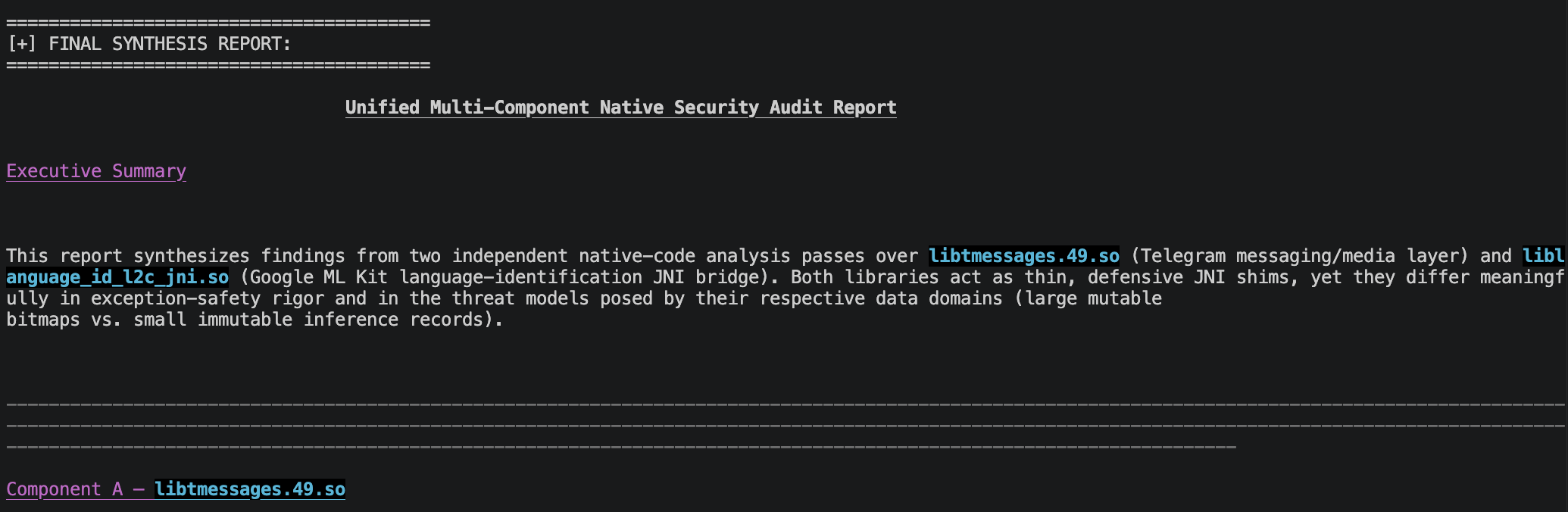
  [Node C] Synthesizing cross-component report...

========================================
[+] FINAL SYNTHESIS REPORT:
========================================

# Security Audit Report: libnative-lib.so & libcrypto.so
...
A full markdown report lands in reports/ with component breakdowns, code excerpts, and cross-library pattern detection.
What I Learned
1. Toolsets Beat Raw Prompts
Giving the LLM a small, focused set of deterministic tools (search, decompile) is far more reliable than dumping 10,000 lines of decompiled C into context and asking it to “find bugs.” The agent iteratively narrows its focus, just like a human analyst.
2. Parallel Agents Reduce Hallucination
Running two independent analysts and then synthesizing their results acts as a weak ensemble. If both agents flag the same function as suspicious, the synthesizer upgrades it. If one hallucinates, the other often grounds the final report.
3. Ghidra Is Scriptable, But Has Opinions
PyGhidra is powerful, but you have to respect Ghidra’s object model. DecompInterface must be opened per program, disposed after use, and you need to guard against null results. The 100-line truncation limit on decompilation output keeps token usage sane.
Current Limitations (Public Edition)
This open-source release is the general analysis edition. It does capability profiling and architectural pattern detection. Advanced modules I have been experimenting with internally — UAF trace detection, exploit-chain generation, struct layout recovery, and cross-reference graph traversal — are redacted for now. The public version is still genuinely useful for getting a rapid JNI surface map and identifying low-hanging fruit.
Try It Out
git clone https://github.com/loulu1ou/ai-jni-re-public.git
cd ai-jni-re-public
python -m venv venv && source venv/bin/activate
pip install -r requirements.txt
cp env.example .env
# Edit .env with your API key
python main.py -i /path/to/your.apk
Requirements:
- Python 3.10+
- Ghidra (Ensure
GHIDRA_INSTALL_DIRenvironment variable is set) - Java JDK 17+ (Required by Ghidra)
- OpenAI-compatible API key
Credits
This project was heavily inspired by the Agentic RE course from ClearSec Labs at DEF CON SG. The core insight — wrapping headless Ghidra toolsets and handing them to LLM agents — comes from their excellent research. I generalized and modularized the approach into a parallel multi-agent CLI that anyone can run against an APK in minutes.
License
MIT — use it, break it, improve it, and PRs are welcome.
If you are doing mobile red-teaming or appsec reviews and spending hours clicking through Ghidra manually, I hope this saves you some weekends.