The standard way to cross-compile Rust binaries for Windows on macOS is by using the x86_64-pc-windows-gnu target and the mingw-w64 toolchain.
Here is a quick setup guide to configure your environment:
1. Add the Windows GNU Target
Run the following command in your terminal to add the ARM64/x64 Windows target to Rustup:
rustup target add x86_64-pc-windows-gnu
2. Install the MinGW Toolchain on macOS
Install mingw-w64 via Homebrew to get the required GNU linker and assembler for Windows:
brew install mingw-w64
3. Configure the Linker
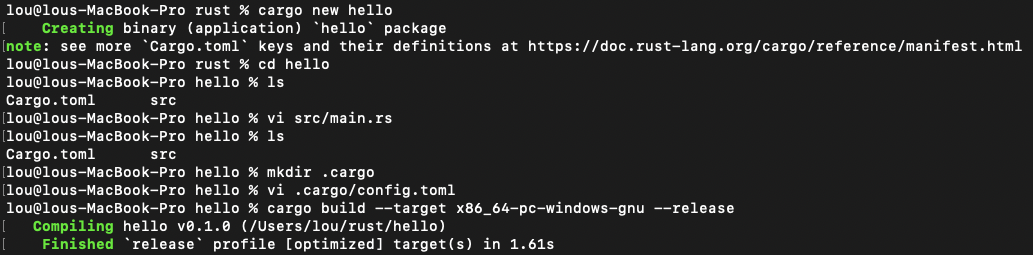
Create a configuration file under .cargo/config.toml in your project root, and define the linker and archiver for the Windows target:
[target.x86_64-pc-windows-gnu]
linker = "x86_64-w64-mingw32-gcc"
ar = "x86_64-w64-mingw32-ar"
4. Build the Binary
Finally, run the build command targeting Windows. Your compiled .exe will be located under target/x86_64-pc-windows-gnu/release/:
cargo build --target x86_64-pc-windows-gnu --release
Build
Run in Windows
